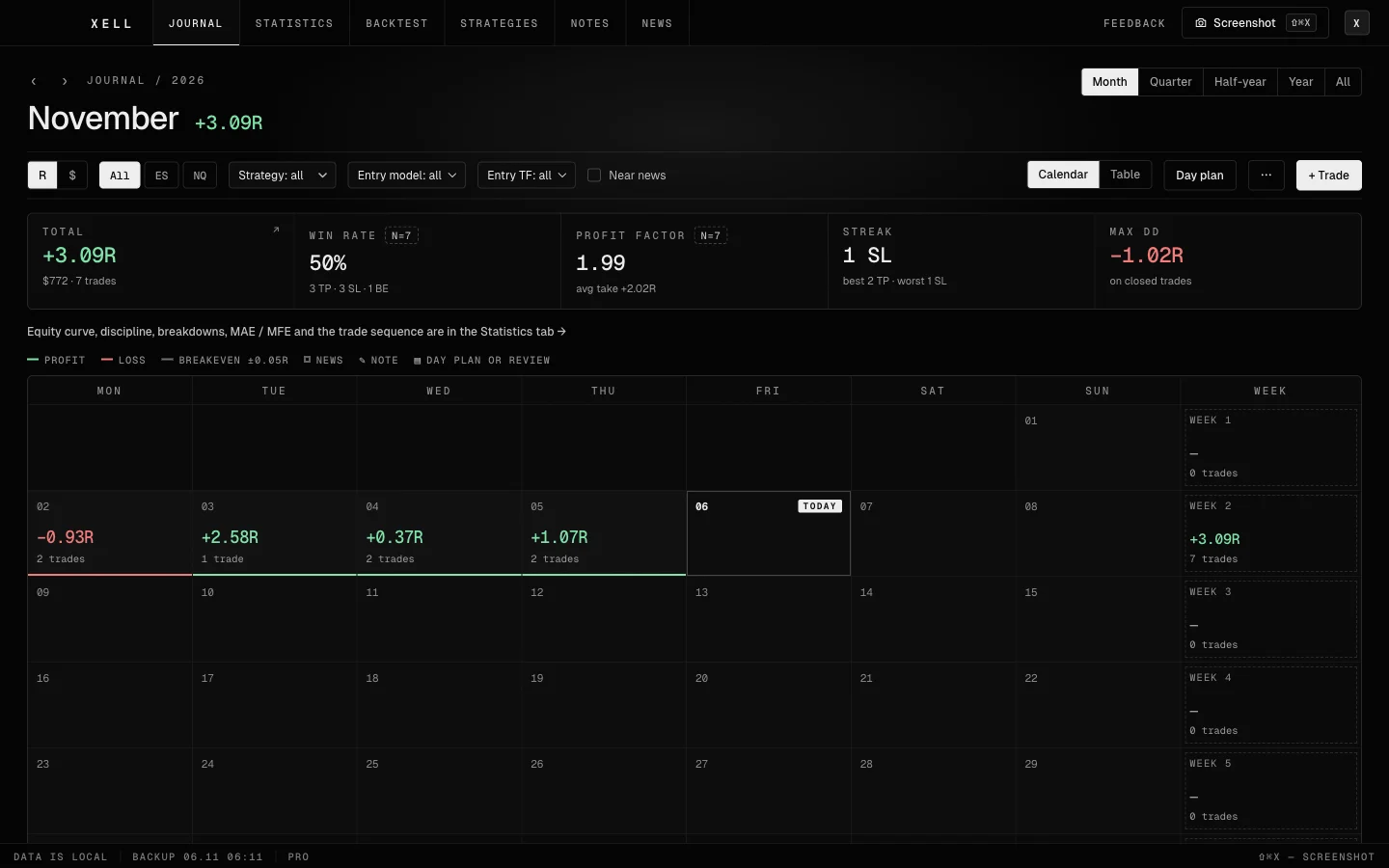
01 / CAPTURE
One key. The whole trade.
Press it over the chart and every timeframe lands in the card. Enter, stop and exit: the journal works out R, commission and spread.
02 / GEAR
Everything you need, at hand.
Screenshots
Every TF with one key from TradingView.
Backtests
Apart from your real trades.
Statistics
Win rate, PF, streaks, drawdown, the curve.
Strategies
Entry models, risk and breakeven rules.
Day plan
The idea, levels, rules as checkboxes.
Auto-import
Trades come by themselves, no duplicates.
News
High-impact news next to the trade.
Backups
Every day, to any folder.
03 / RULES
Three rules.
Local
The journal and shots stay on your computer. Only your sign-in email and subscription date go to the server.
Offline
You need the internet only to sign in, for news and to check the subscription.
No auto-renewal
Nothing is charged by itself. When Pro ends you stay on Free with all your data.
04 / PRICING
No surprises.
PRO FREE UNTIL 31.12 · EMAIL SIGN-IN · NO CARD
[TERMS FROM 01.01]
- $10 a month
- Paid in crypto, no auto-renewal
- After it ends: Free, all data stays
- Math from prices and all analytics
- Paid in crypto, no auto-renewal
- After it ends: Free, all data stays
| What you get | Free | Pro |
|---|---|---|
| Journal, backtests, every-TF screenshots, calendar | yes | yes |
| Basic statistics: total, win rate, profit factor, streaks, equity curve | yes | yes |
| Notes, news, CSV import, backups | yes | yes |
| Day plan and review, strategies with rules and shots | yes | yes |
| Math from prices: R, commission, spread, % of plan | no | yes |
| Breakdowns by setup, session, day, hour, tag and mistake | no | yes |
| MAE / MFE: another stop and target on your trades | no | yes |
| Weekly report with an image export | no | yes |
| Strategy statistics, state, discipline | no | yes |
Reviews
FAQ
Where is my data stored?
On your computer: the journal database and a folder of screenshots. The server only gets your sign-in e-mail, subscription dates, the app version and system — and, if you send them yourself, an error report or a support message. You can export the whole journal to a file: Account → Data.
Why is Pro free right now?
It’s the launch: until December 31 Pro is open to everyone who signs in — nothing to pay. Use it and tell us what’s missing. A day before the end the app shows what Pro worked out on your trades; then buy Pro or stay on Free.
What happens to Pro after December 31?
[TERMS FROM 01.01]
Does it work offline?
Yes. The internet is needed to sign in, for news and to check the subscription. Pro keeps working offline until the paid date and three more days.
What's the difference between Free and Pro?
On Free a trade is logged in R with risk and commission typed by hand, and the calendar, basic stats, day plan, strategies and backups are all there. On Pro a trade is worked out from prices with size, commission and spread, and breakdowns, MAE / MFE, the weekly report, strategies stats, state and discipline open up.
How do I install it?
The app isn't signed by Apple or Microsoft yet, so on first launch the system asks you to confirm you trust it. You do this once. Step by step: install guide.
How do I update?
On Windows the update downloads by itself and installs on restart. On a Mac the app downloads the right .dmg and opens it — you drag XELL Journal to Applications. Your data stays.
What happens to my data when Pro ends?
Nothing is lost. The journal switches to Free, all trades, screenshots and notes stay. Trades worked out from prices keep their results.
How do I pay for Pro?
In crypto through NOWPayments: USDT (TRC20, BEP20, TON, Solana), BTC, ETH or TON. Pro turns on once the transfer is confirmed, usually within minutes. The subscription never renews by itself: the app reminds you a week before the end. Refunds: see the refund policy.
Read
Ready for the session.
The Mac build is not signed by Apple yet, so it is marked beta: on first launch and after an update macOS asks you to confirm opening it and to allow screen recording — how to do that.
Version 0.4.15 · Changelog · How to install ·